Every release you watch.One calm inbox.
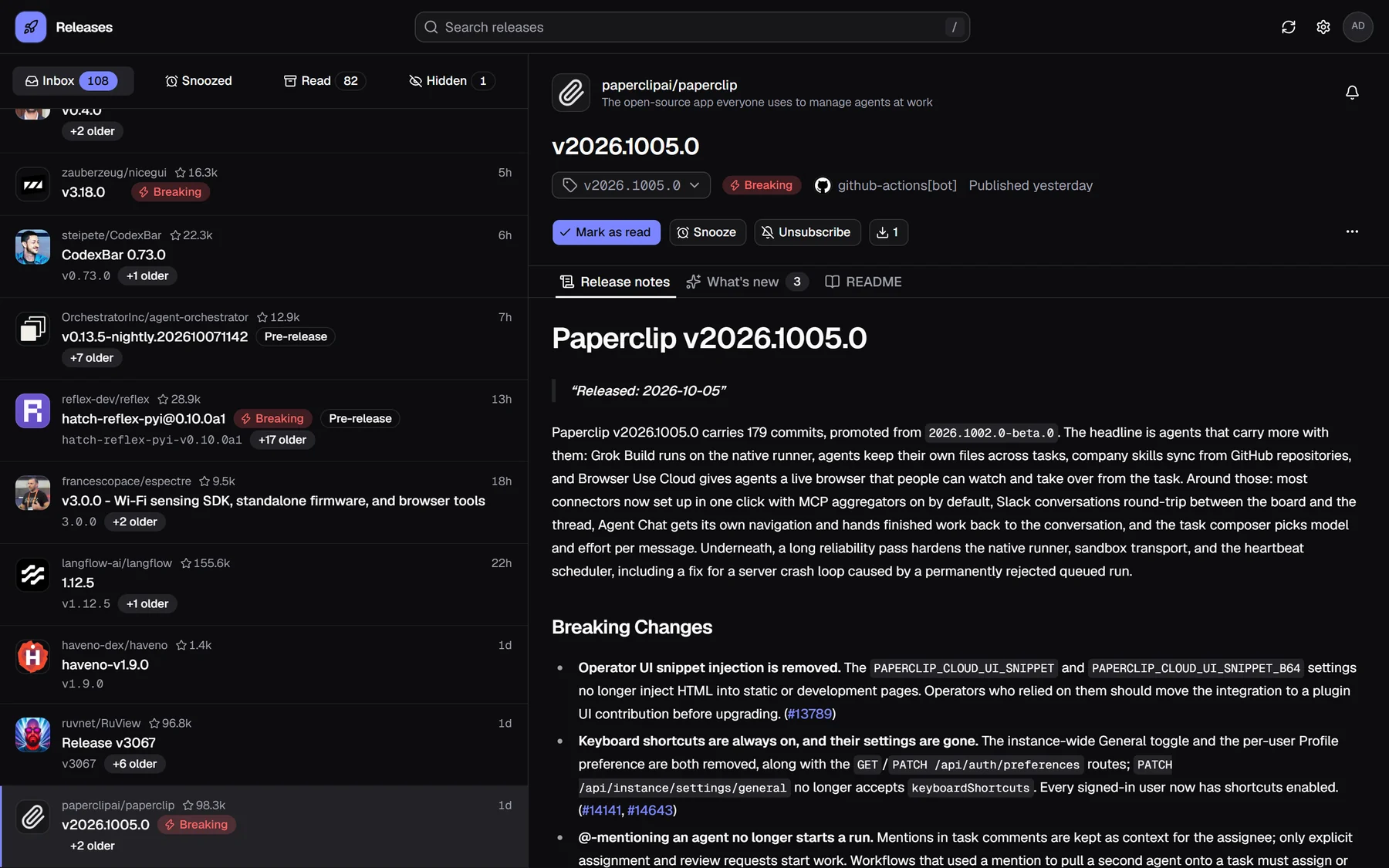
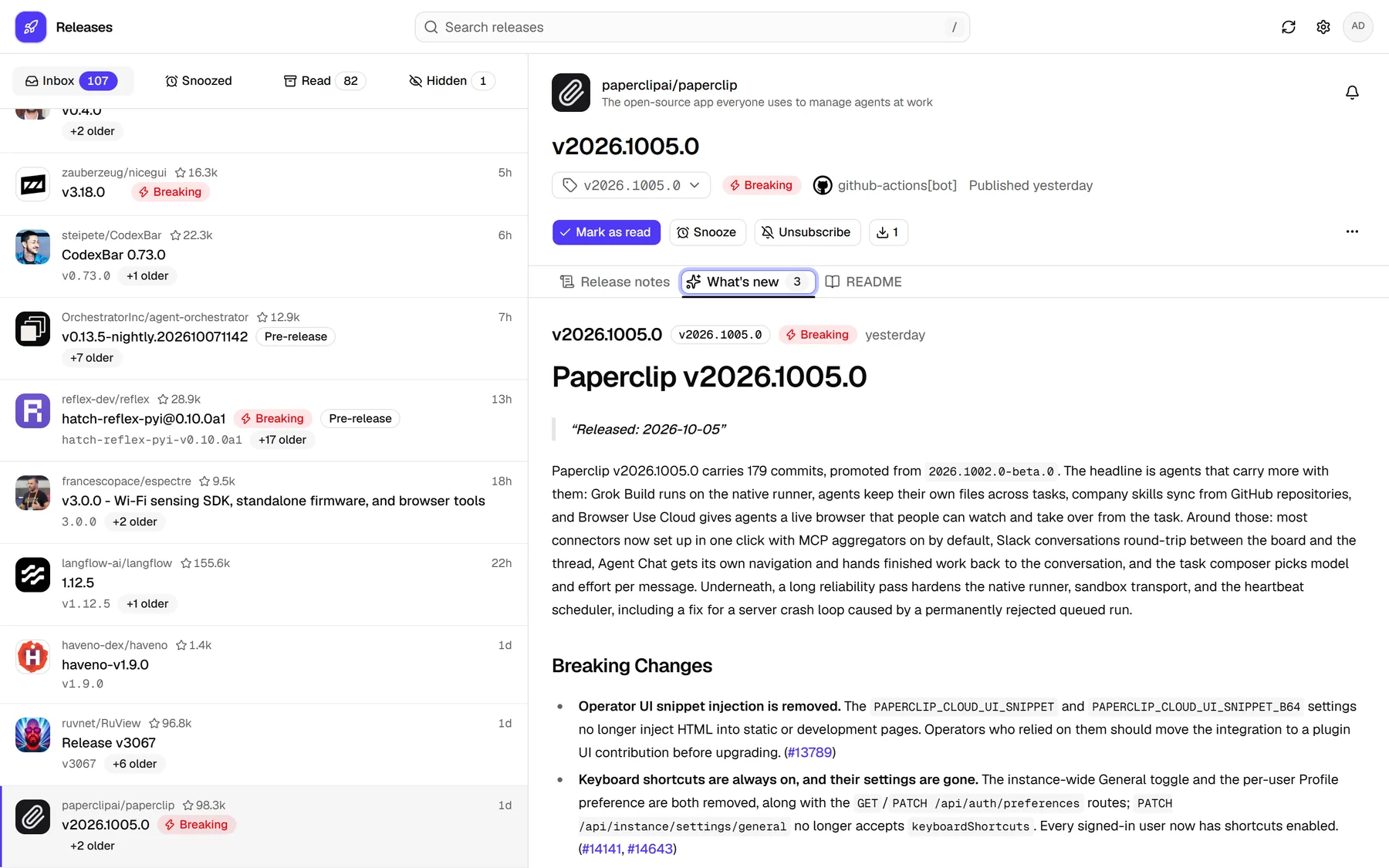
Releases collects the GitHub releases you're subscribed to: one entry per repository, the notes, what's new since your last visit, and the breaking changes up front. Triage it all in seconds.
Free · Your own server · Apps for Windows, macOS and Linux
How it works
From notification noise to a clear signal
GitHub mixes releases with reviews, comments and issues. Releases keeps only what shipped and lays it out like an inbox you actually want to open.
GitHub notifications
- Review requested: Bump eslint to 9.38
- acme/app released web@2.0.0
- New comment on #4182
- Issue opened: Crash on start
- acme/app released web@1.9.3
- PR merged: Update README
- acme/tool released v3.0.0-rc.1
- Mentioned in a discussion
acme/app
web@2.0.0 Breaking+1 olderacme/tool
v3.0.0-rc.1Pre-releaseacme/cli
v4.2.0+3 older
Watch on GitHub
Subscribe to the releases of any repository, as you already do. Releases reads your notifications.
Collect in one inbox
Only releases make it in, newest first, one entry per repository, with what changed since you last looked.
Triage in seconds
Read, snooze, hide a component or unsubscribe with a click, a swipe or a key. GitHub stays in sync.
Features
Everything a release deserves, nothing it doesn't
Built for people who follow dozens of projects: fast to scan, honest about what changed, and quick to clear.
What's new, all in one place
Missed three releases of a project? What's new combines the notes of every unread release, so nothing between your last visit and today slips through.
Breaking changes stand out
Releases that mention breaking changes, or are a new major version, get a badge.
- v3.0.0 Breaking
- web@2.4.0 Breaking
- v2.1.0-beta.2Pre-release
- v2.0.9Bug fixes
Snooze for later
Put a release aside; it comes back to the inbox with a reminder.
Hide the parts you don't use
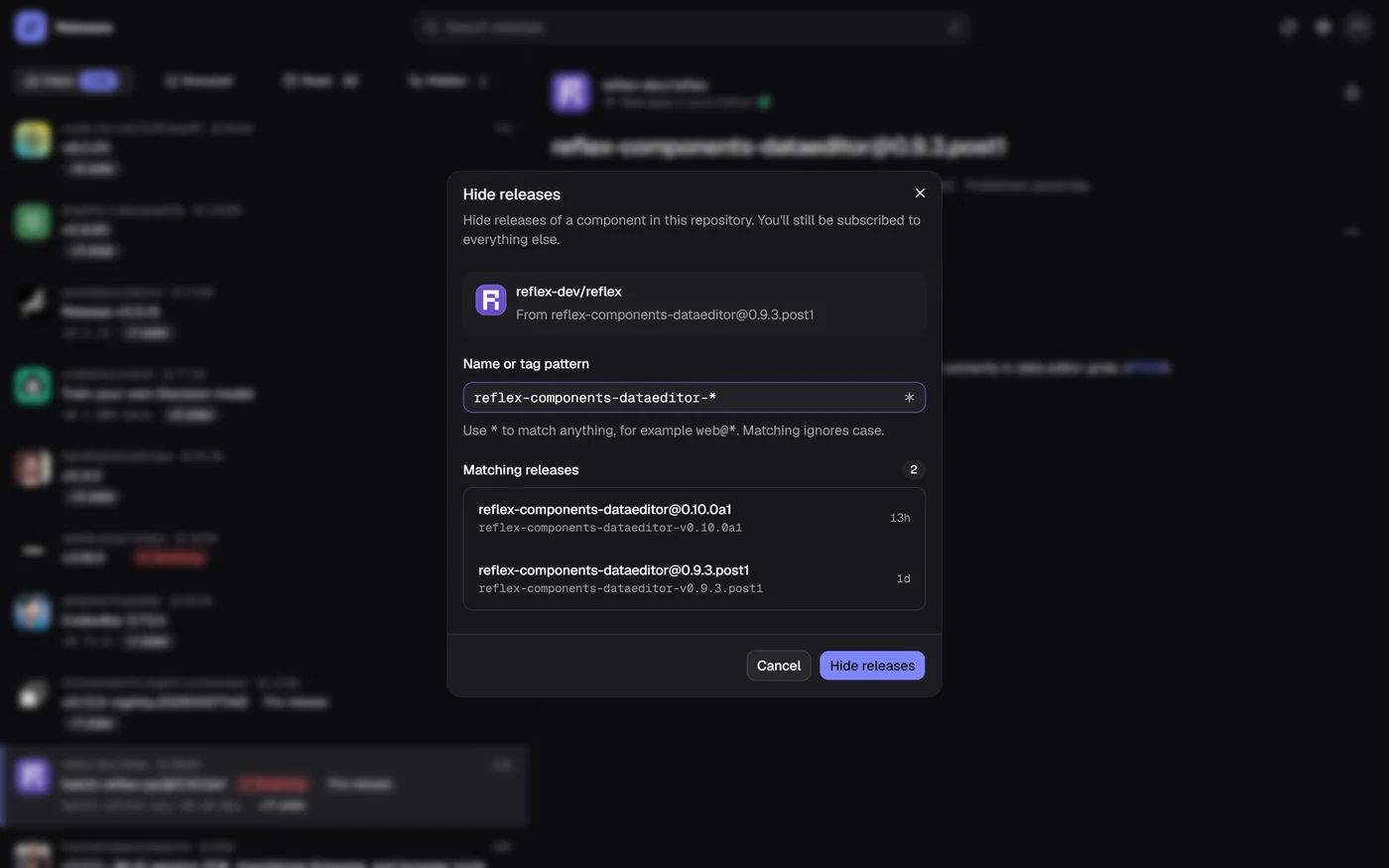
Follow a monorepo but not all of it: hide a component such as web@* without unsubscribing. The pattern is suggested, the preview shows what goes.
Notified where you are
Every repository you watch notifies you; mute one, or only hear about breaking changes.
Keyboard first
Fly through the inbox without the mouse; ? lists every shortcut.
AI summaries on request
Summarise a release, or everything new in a repository, with Claude. Cached, and only when you ask.
Summary
Swipe to triage on your phone
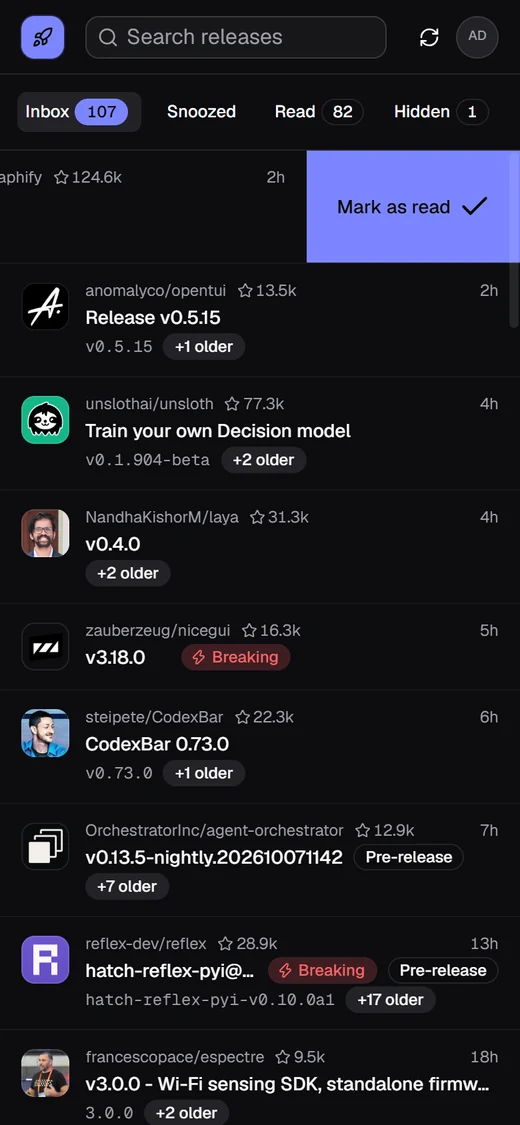
Swipe left to mark as read, right to unsubscribe. Every action, swiped, clicked or typed, offers Undo, and GitHub only hears about it once the toast is gone.
Live updates
Polls GitHub every minute; open tabs update instantly.
Synced read state
Marking as read also marks the thread on github.com.
Search
Across repositories, release names, tags and notes.
Star counts
Next to every repository, refreshed daily.
Pre-releases your way
Like other releases, quiet, or out of sight.
Release files
Download assets, with the file for your device first.
Installable
A web app for phones, with the inbox count on its icon.
Read as you go
Optionally mark a release read when you move on.
Desktop app
Your inbox, one click away on every desktop
The app for Windows, macOS and Linux opens your server's inbox in its own window and brings its notifications to your desktop, without a browser tab left open.
- Lives in the tray
- Close the window and Releases keeps running; a dot on the tray icon says the inbox has entries.
- Notifications with buttons
- Mark as read, snooze until tomorrow or mute the repository, right from the notification.
- Starts at login
- Optional: it starts hidden in the tray, so nothing slips by after a restart.
- Light and native
- A few megabytes, built with Tauri on the system's web view. No bundled browser.
acme/app
nowweb@2.0.0 was released · may contain breaking changes
Download
Get the desktop app
Version v0.6.1, released October 16, 2026. It connects to your own Releases server.
Linux
64-bit (x86_64) distributions
Code signing for Windows is being set up; until then Windows SmartScreen may warn before the first start. Code signing policy
Self-host
Your server, your data
Releases runs as a single process with SQLite next to it. It talks to GitHub with your token and to nobody else unless you set it up.
- A classic GitHub token with the notifications and repo scopes
- A small Linux server, or any machine with Python and Node.js
- Optional: VAPID keys, ntfy, Telegram or an Anthropic key
# An outline for Ubuntu 24.04; the guide has every step$ sudo git clone https://github.com/Endogen/release-inbox /opt/ghr$ cd /opt/ghr/backend && sudo uv sync --frozen --no-dev$ cd /opt/ghr/frontend && sudo npm ci && sudo npm run build# Settings: a GitHub token, your sign-in and secrets (see the guide)$ sudo install -d -m 0750 /etc/ghr$ sudo install -m 0640 /opt/ghr/deploy/ghr.env.example /etc/ghr/ghr.env$ sudo cp /opt/ghr/deploy/ghr.service /etc/systemd/system/$ sudo systemctl enable --now ghrThen put nginx with TLS in front of it; the guide has the site configuration and a daily backup.
FAQ
Questions, answered
Something else? Ask on GitHub.
Ready for a calmer inbox?
Set up your server in a few minutes, then follow every project you care about without the noise.